
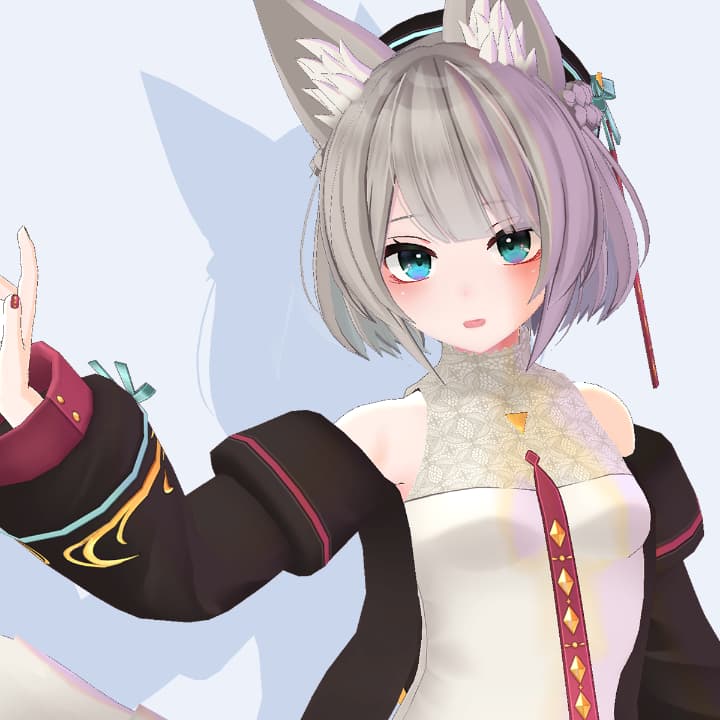
【VRChat/VRM】Kyoko by Hyuuganatsu

Included file types
Supported platforms
 VRChat (PCVR)
License & Terms
※Attention: As this is a downloadable product, refunds are not available. Please purchase with the understanding of this policy.
※Disclaimer: The creator assumes no responsibility for any damage, loss, or trouble arising from the use of this data.
Teams of Use:
https://drive.google.com/file/d/1Ujv9THwX4hDIyko3o_5DpHR2eYoxlIE4/view
Support:
https://discord.gg/9wh44rxa2a
Buy as a gift
Add a custom message along with the exclusive avatar, making it the best gift ever!
Additional Information
This avatar is already set up.
How to upload?
Install "VRChat Creator Companion(VCC)"
Make a new project via VCC
Import VRChatSDK3-Avatars (VRChat SDK for avatars) and lilToon (available at: https://lilxyzw.booth.pm/items/3087170) into your project.
Import the product's Unitypackage.
Click VRChat SDK
Show control panel, and choose "Build"
You can put thumbnail and name, and upload!
Be careful!
Don't upload with "Public" status. Please choose "Private" status to avoid copying by others.
Check your VRC account level! If you are "Visitor" status, you cannot upload your avatar.
Overview
The original model "Kyoko" is a 3D avatar designed for use in VRChat, but it can also be used for VRM, gaming, and live streaming.
Created in Blender 3.4
If you encounter a material error (the model turns pink), please install liltoon in the same project.
Features:
Humanoid compatible
Lip sync and eye tracking support
Perfect sync compatible
Full-body tracking compatible
Avatar 3.0 compatible
Unity 2019 compatible
Uses liltoon
PhysicsBone settings configured
VCC compatible
Manual
This avatar is already set up.
How to upload?
Install "VRChat Creator Companion(VCC)"
Make a new project via VCC
Import VRChatSDK3-Avatars (VRChat SDK for avatars) and lilToon (available at: https://lilxyzw.booth.pm/items/3087170) into your project.
Import the product's Unitypackage.
Click VRChat SDK
Show control panel, and choose "Build"
You can put thumbnail and name, and upload!
Be careful!
Don't upload with "Public" status. Please choose "Private" status to avoid copying by others.
Check your VRC account level! If you are "Visitor" status, you cannot upload your avatar.
Update History
[Decemver 12, 2023] Sales began